Profile
Your MustStash profile is what other crafters see when they visit your page. You can find and edit your profile from My Account → Profile.
If you publish Public Recipes, the parts of your profile that can be shown publicly also appear on your MustStash portfolio.
Profile photo
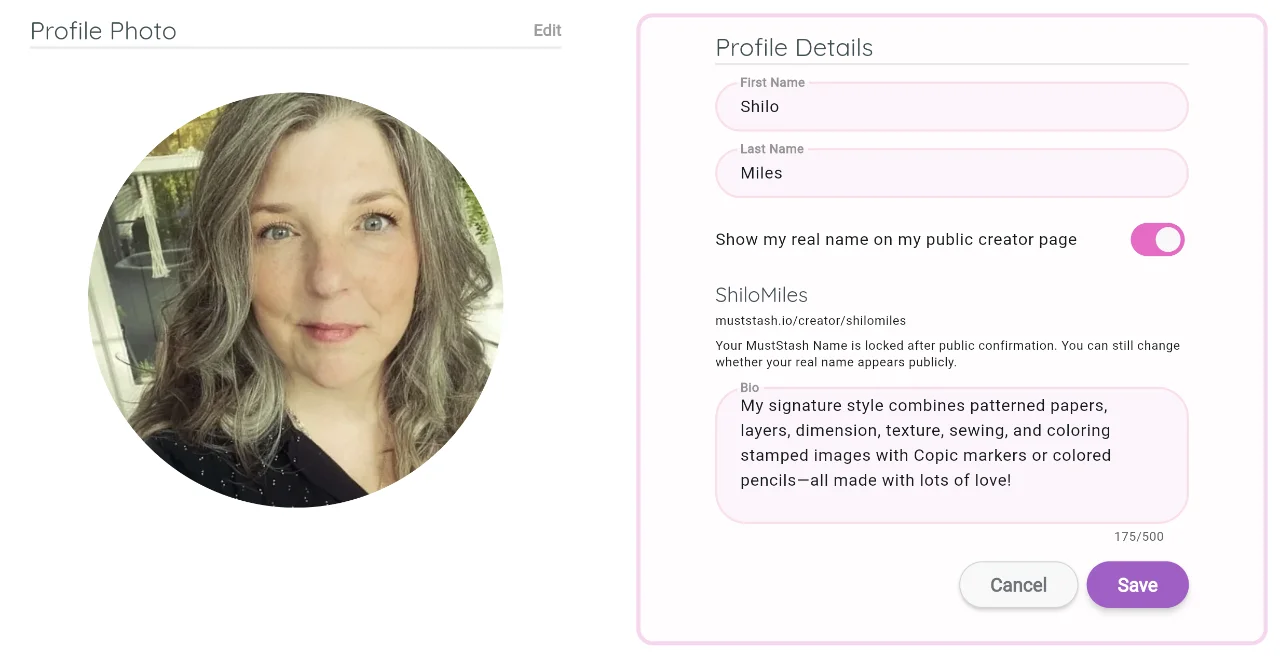
Tap your profile photo to upload a new picture or choose an avatar. A clear, friendly photo makes it easier for other crafters to recognize you.
MustStash Name
Your MustStash Name is the name that identifies you on MustStash.
It is more than a label on your profile. Other crafters see it on your projects, and if you publish Public Recipes it also becomes part of the web address for your MustStash portfolio:
https://muststash.io/creator/your-muststash-name
Because that name is used in a web address, it can only include letters, numbers, hyphens (-), and underscores (_). No spaces or other punctuation. It must be between 3 and 30 characters. If you want more than one word, put them together (ShiloMiles) or separate them with a hyphen (shilo-miles).
You can choose a MustStash Name here in Profile Details before you publish, or MustStash will ask you to choose one the first time you publish a Public Recipe.
Choose something that feels like you. It might be your own name (without spaces), a crafting name, or a name you already use on social media.
MustStash will let you know if the name you want is available.
Choose your MustStash Name carefully.
Once you publish your first Public Recipe, your MustStash Name is permanent and cannot be changed later.
Your first and last name are separate. They stay on your account, and you can choose whether your real name also appears on your portfolio.
In Profile Details, use Show my real name on my public creator page if you would also like your first and last name to appear on your portfolio. You can change that choice anytime, even after your MustStash Name is locked.
Bio
Write a short description about yourself and what you love to craft. Your bio appears on your public profile.
External links
Connect your creative presence outside MustStash by adding links to your other platforms — Instagram, YouTube, Pinterest, TikTok, Facebook, your personal website, and more.
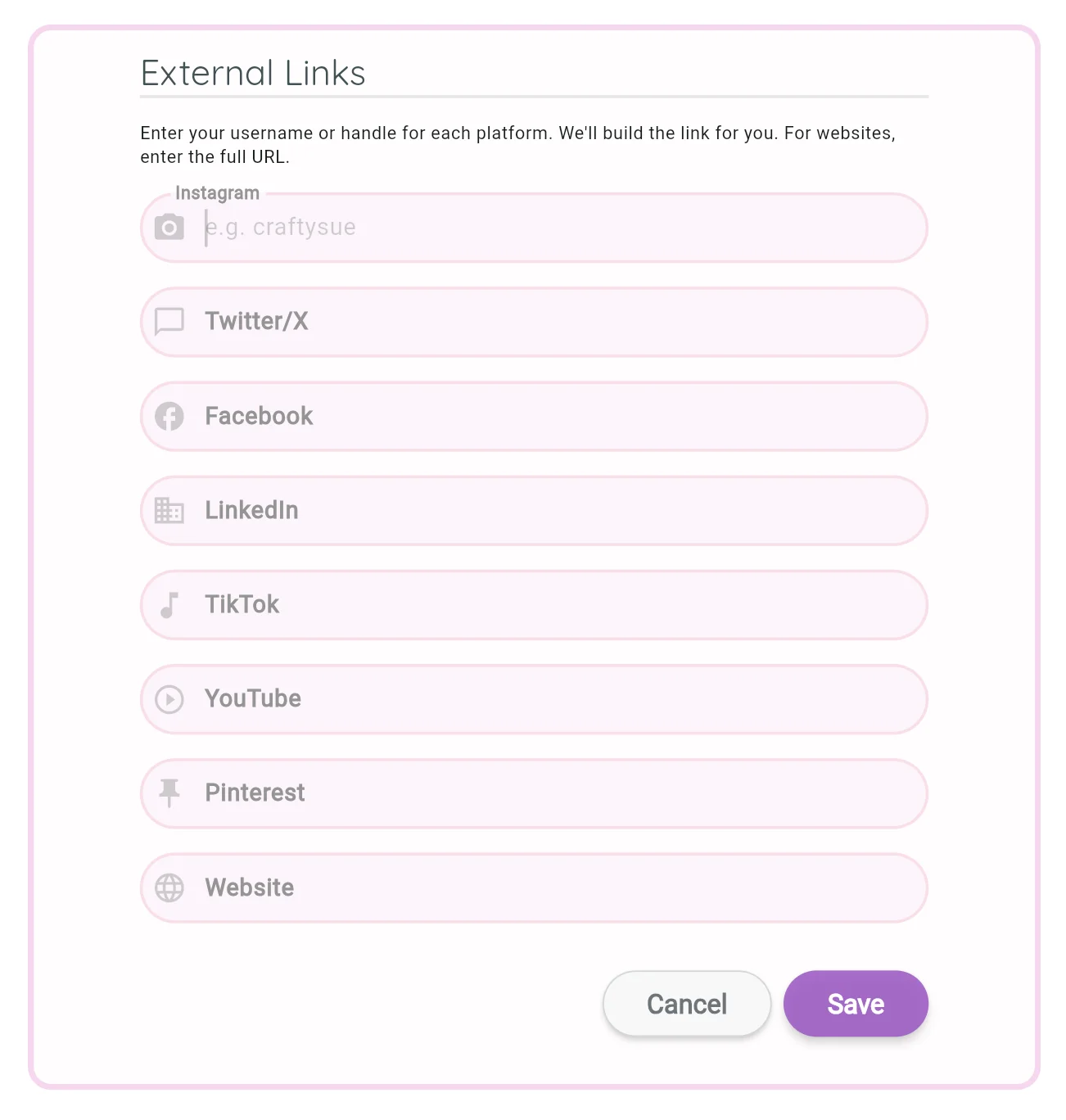
This makes it easy for other crafters to follow your work both inside and outside of MustStash.
Location
MustStash does not currently use your location for any app features.
This field is included to help us gauge interest in possible future location-based features, such as finding nearby craft stores, retreats, events, or other crafters in your area.
If you fill it in, it lets us know you may be excited to see those kinds of location-based features in the future.
You can leave this blank if you prefer.