Add a missing product
One of the biggest goals of MustStash is to build a shared community database containing nearly every crafting product ever made. The hope is that crafters no longer have to spend hundreds of hours manually organizing their stash. Many company partners and a growing community have joined together to help make that possible.
For now, there will still be times when you are looking for a product that has not yet been added to the community database. When that happens, you can create the product yourself and it will be added to your stash.
If the product is something other crafters would benefit from discovering, you can also choose to share it with the community database so that it can be reviewed and added for everyone to use.
Creating a new product
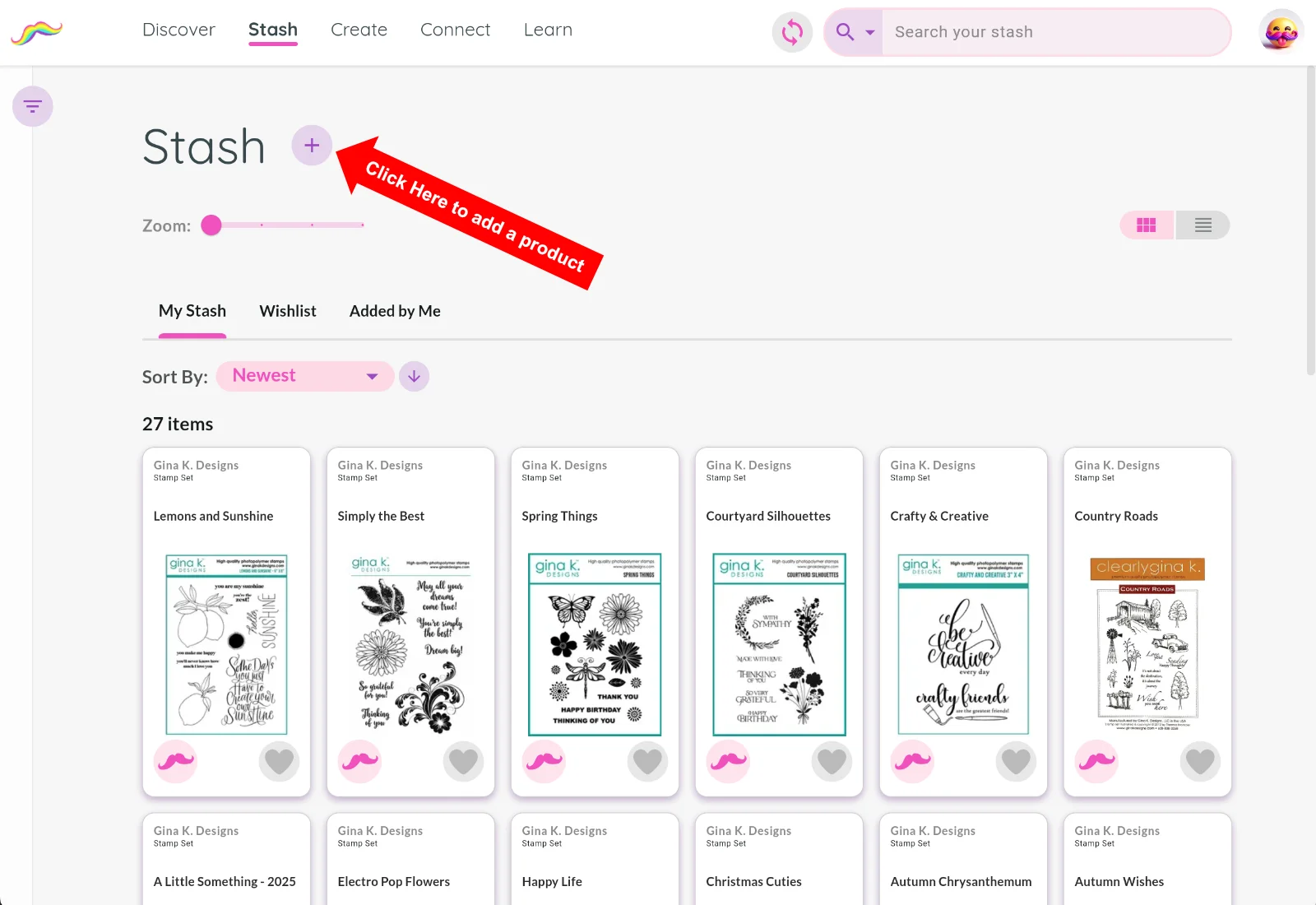
From the Stash page, click the + button near the top of the screen.
You will be asked for three pieces of information:
- Product name
- Company
- Product type
That's it!
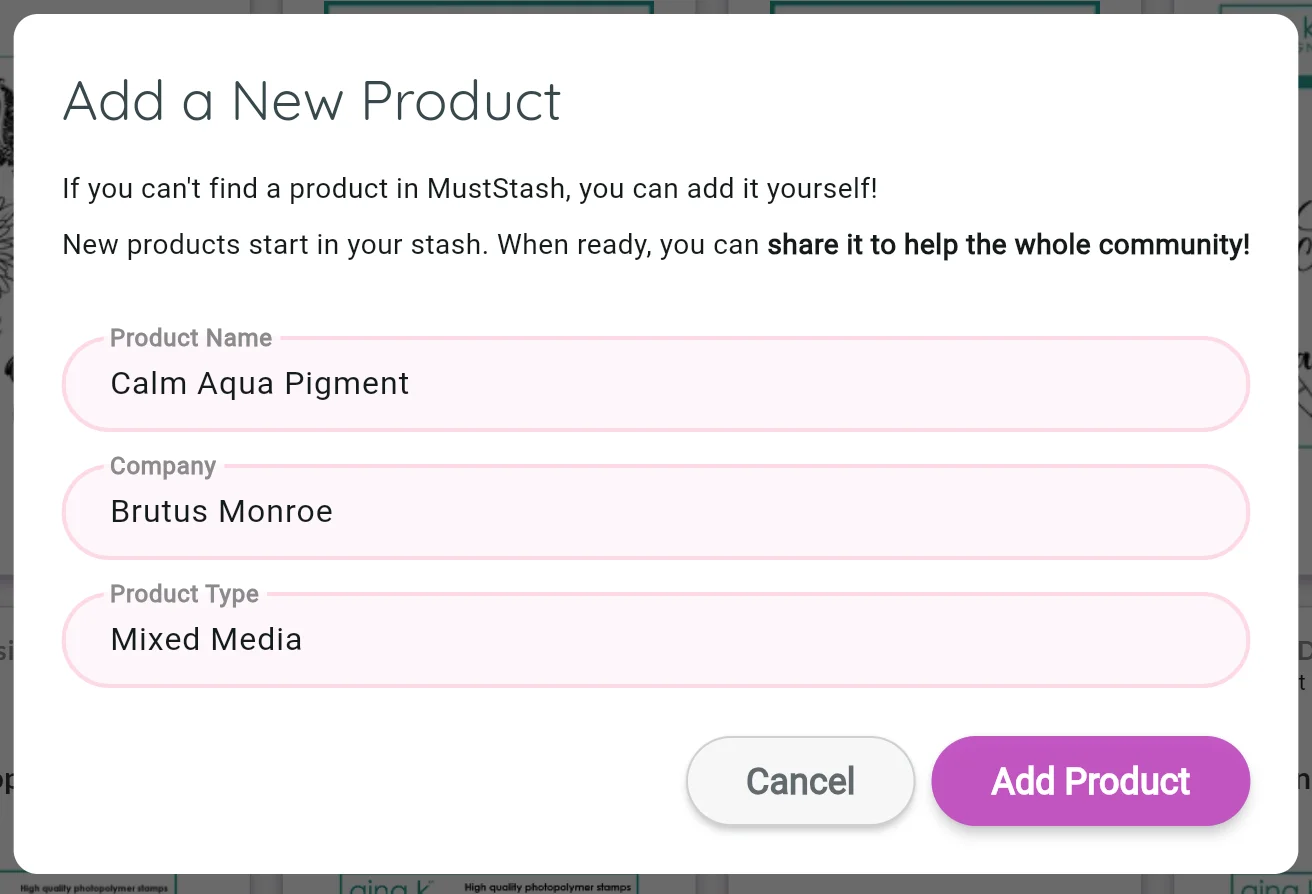
After clicking Add Product, MustStash creates a private product page just for you.
Your product starts as private
New products you create are initially private.
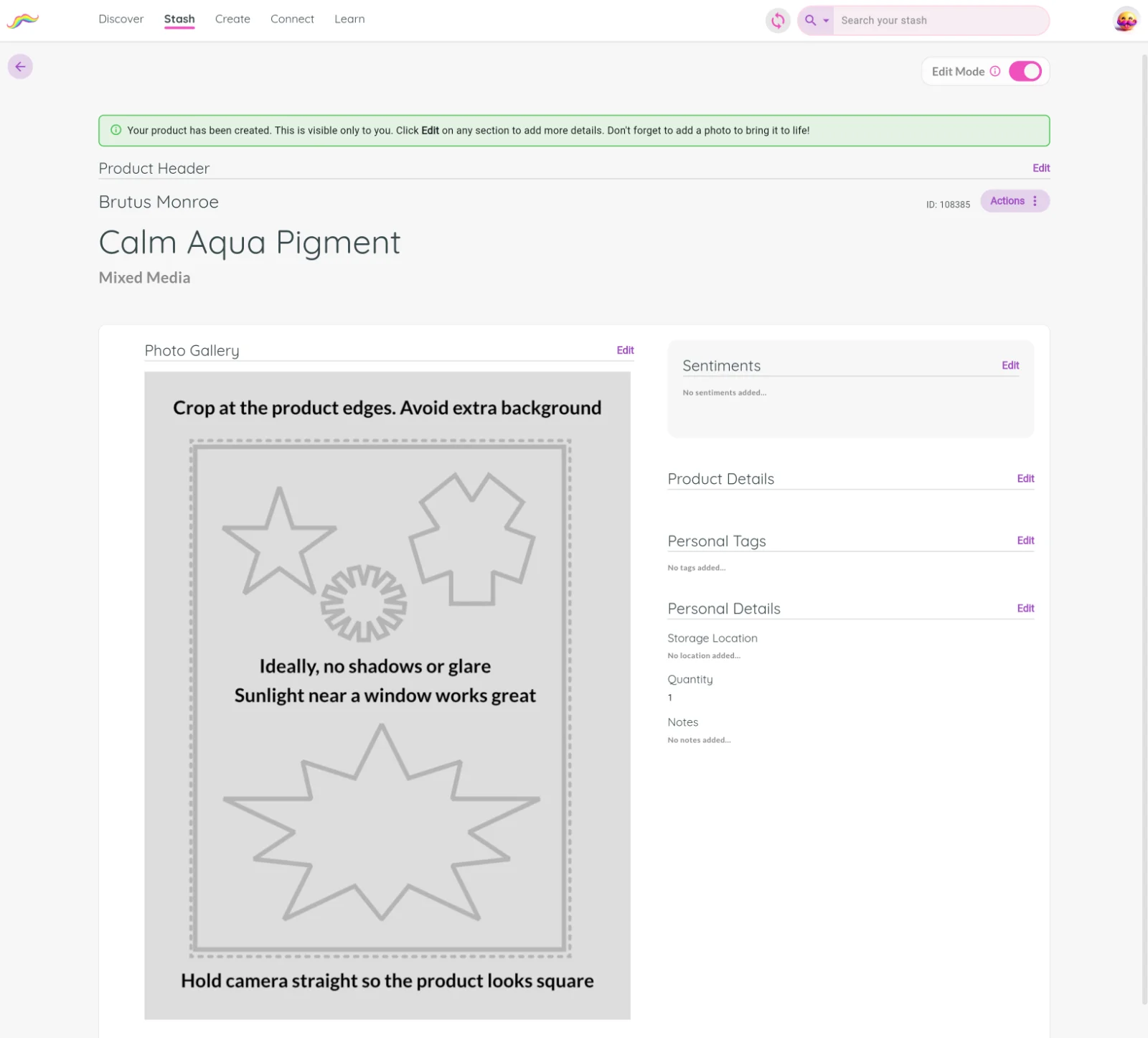
That means:
- Only you can see them
- You can continue editing and improving the information over time
- The product is not yet part of the shared community database
Private products work differently from fully curated community products.
Shared community products receive the full benefit of MustStash organization and search. If you choose to keep a product private only for yourself, you may want to add Personal Tags or additional information to help you find it later.
Improve your product over time
You can continue adding information to your product whenever you want.
Only a few pieces of information are required to create and share a product, but you are welcome to add additional details if you know them.
Simply click the Edit link next to each section to open the editor for that section.
Extra details and good photos can help Curators review products more quickly and accurately if you later decide to share the product with the community.
Remember to click Save when you finish editing a section.
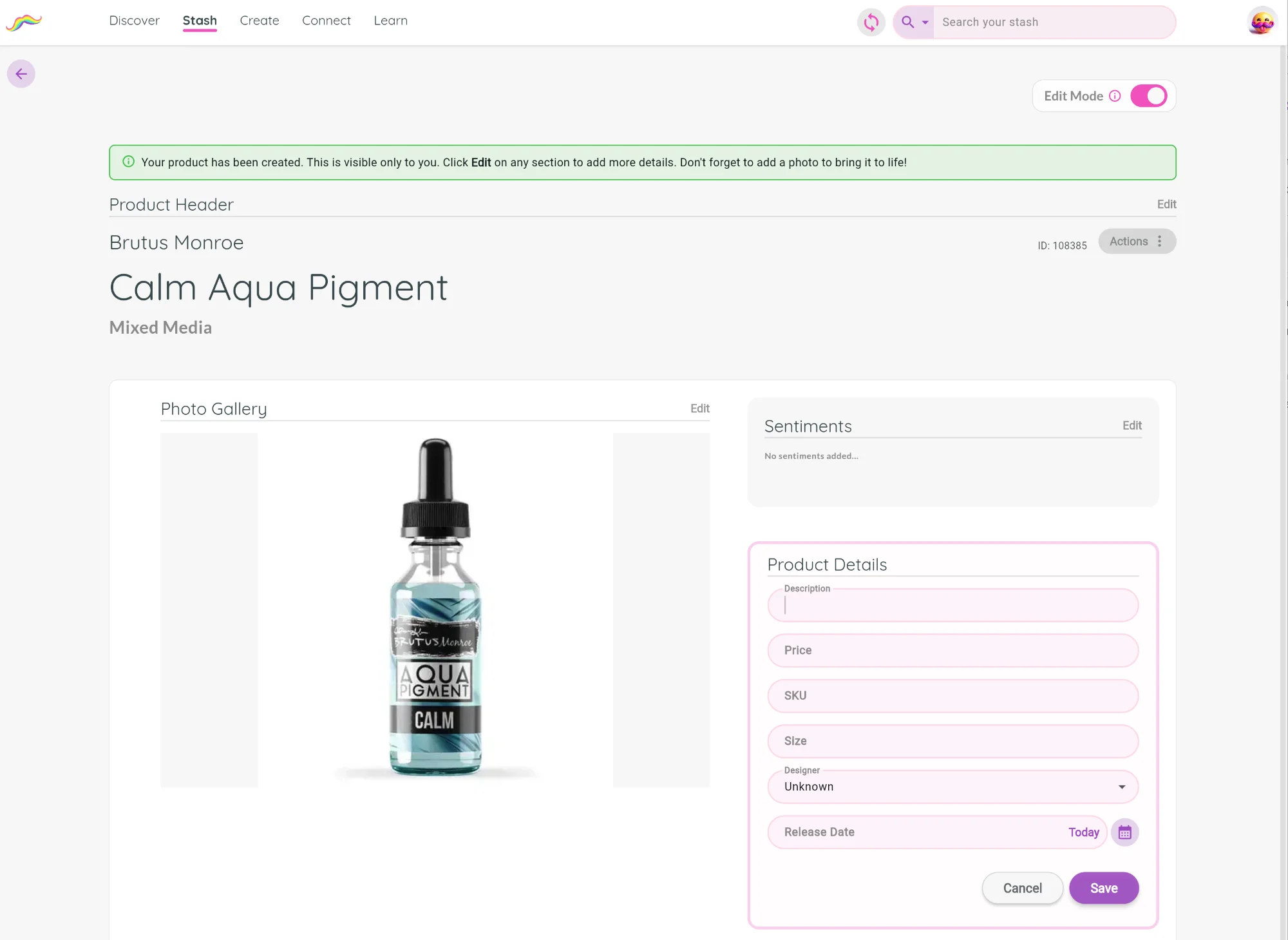
Good product photos make a big difference.
Try to crop tightly around the product and avoid extra background whenever possible.
Share it with the community
If you think other crafters would benefit from discovering this product, you can choose to Share with the Community.
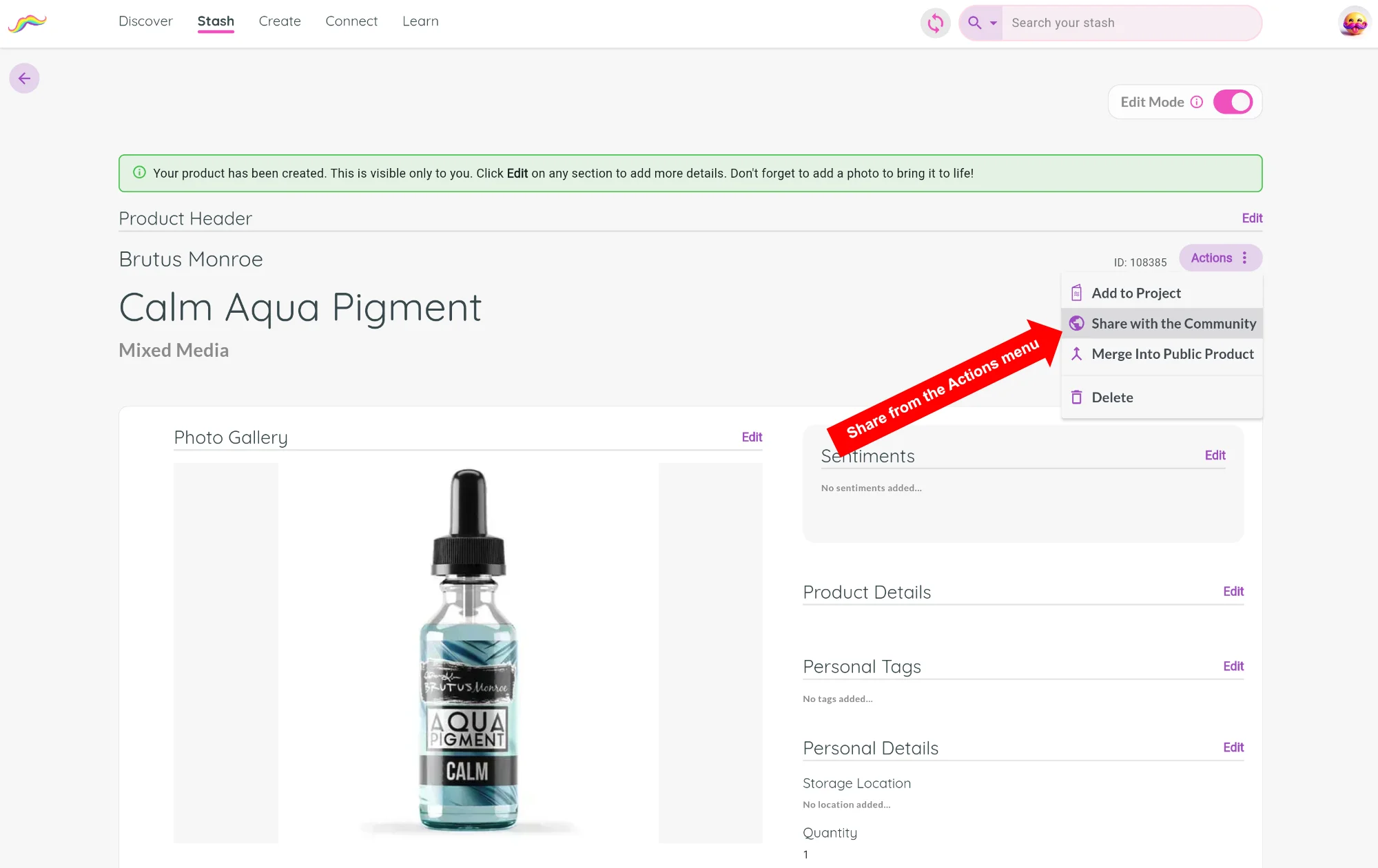
Before you can share a product, you must add at least 1 product photo
Once shared:
- MustStash begins organizing and improving the product information
- Curators review the product and help improve categorization and searchability
- The product becomes increasingly searchable and useful over time
Every product added to the shared database helps make the community more searchable and useful for everyone.