Creating a project
On most social media platforms, when a card is posted, people comment on it for a day or two, and then it disappears into the feed forever.
In MustStash, every project becomes part of a growing, searchable inspiration library, almost like Allrecipes.com for crafters.
Instead of losing ideas in a social feed, projects stay connected to:
- the products used
- the techniques used
- the occasions they fit
- the projects that inspired them
By sharing how you created a project, you leave behind techniques, ideas, and inspiration that help other crafters learn and create their own versions.
Over time, this creates a living web of creative ideas that keeps growing with the community.
Two ways to create a new project
1. Create a blank project
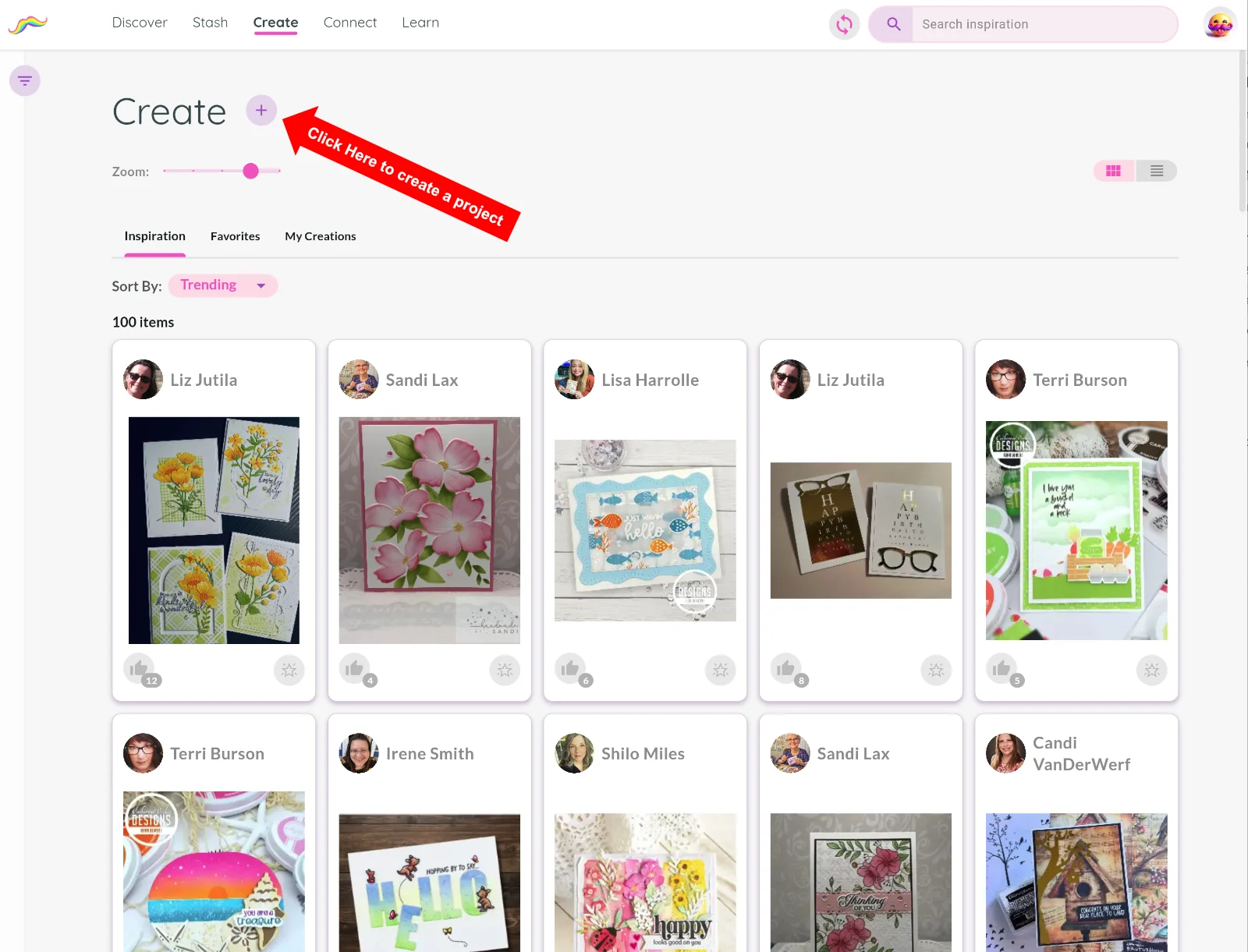
From the Create tab, click the + button near the page title.
You'll be asked to give your project a name.
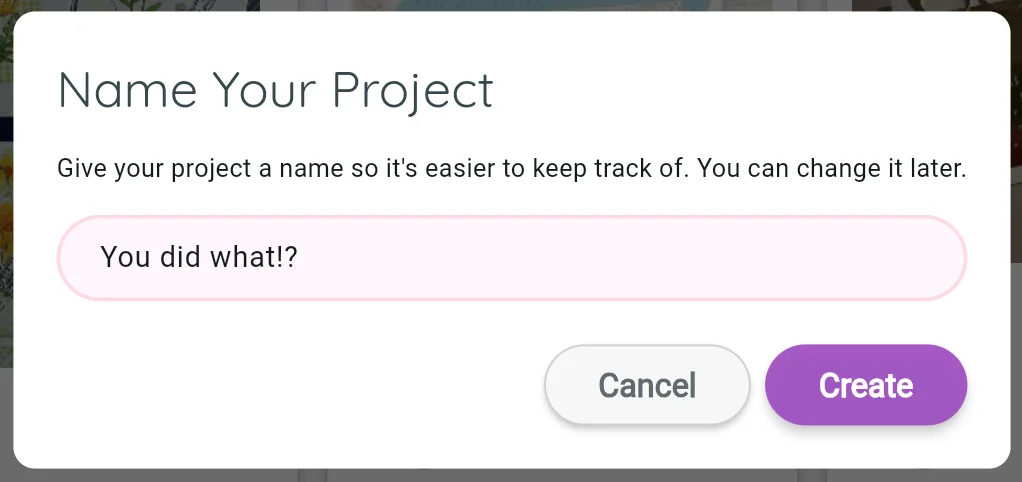
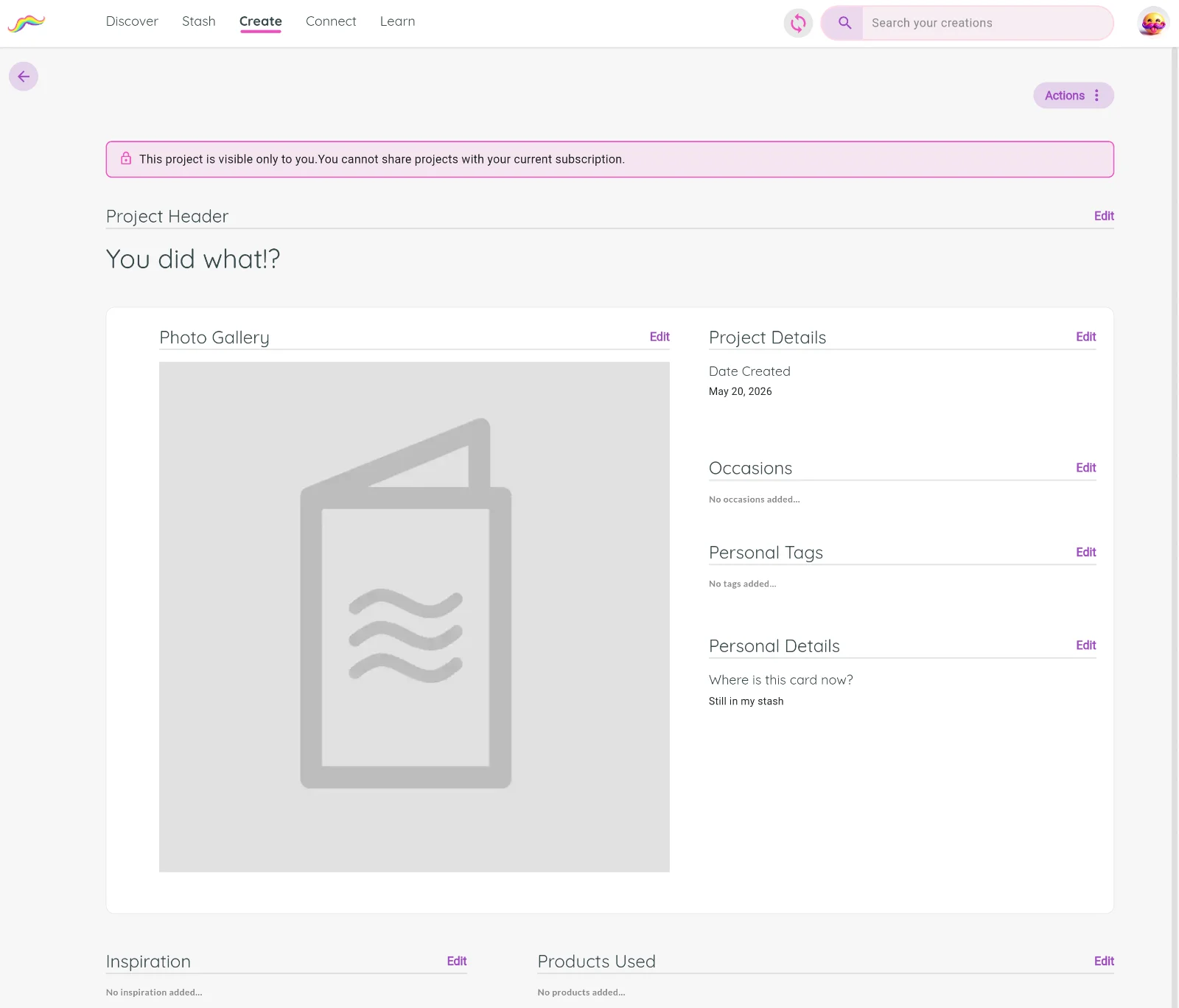
Don't overthink it, you can change the name later. After creating it, you'll land on your new project page.
2. Create a project inspired by another crafter
One of the most powerful features in MustStash is building on each other's ideas.
When viewing another crafter's project, you can click Make this Project which will create a new project for you that automatically shows the original inspiration.
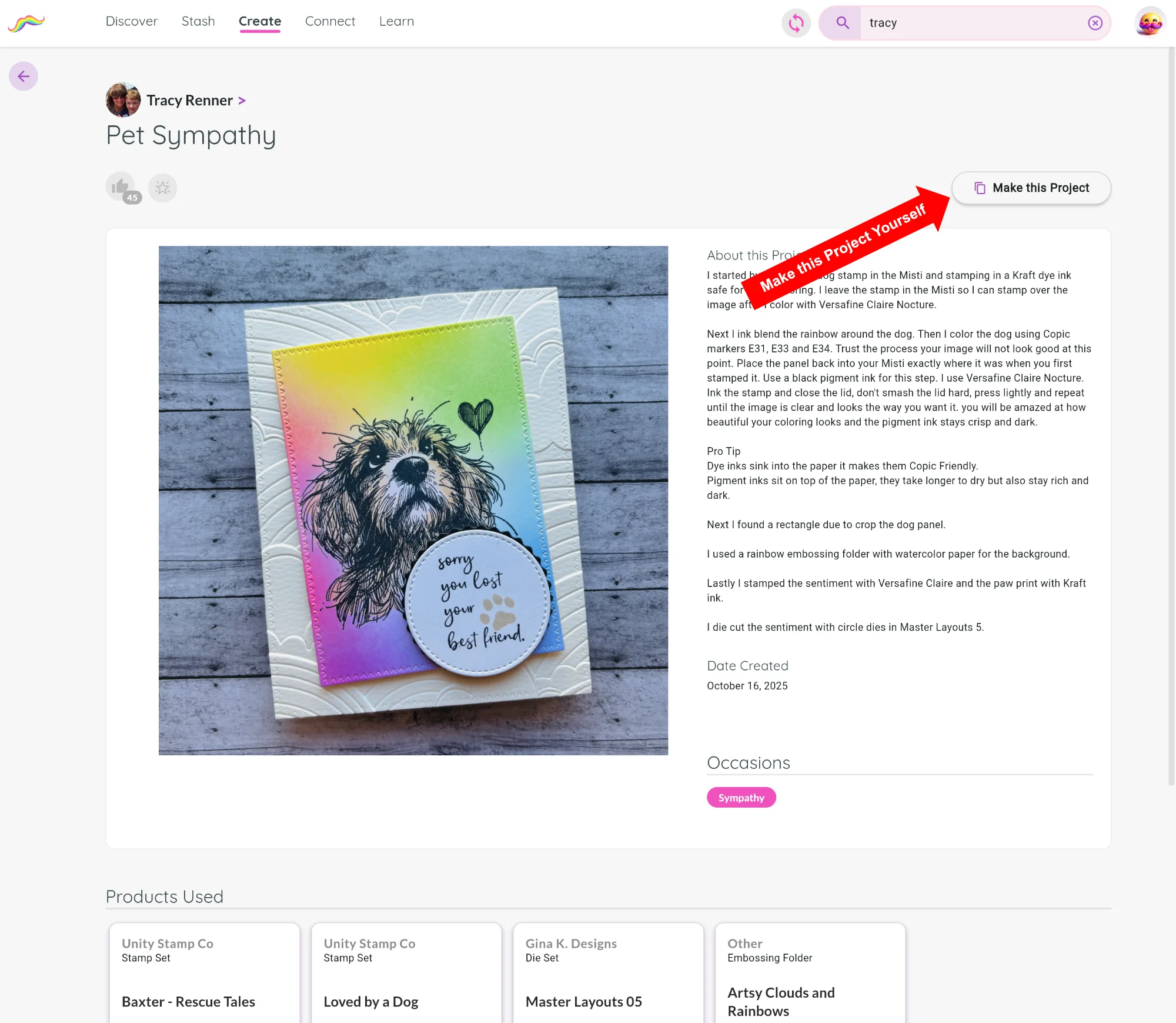
This creates an inspiration chain through time as ideas spread from crafter to crafter, each person adding their own creativity and style.
Adding details to your new project
You can add as much or as little information as you'd like to your project. However, the more information you add, the more useful your project becomes for both yourself and the crafting community.
Think about what makes a recipe helpful on a site like Allrecipes.com.
A great recipe doesn't just show the finished result. It also includes:
- the ingredients
- the techniques
- the steps
- the little details that help someone else recreate it successfully
Projects in MustStash work the same way.
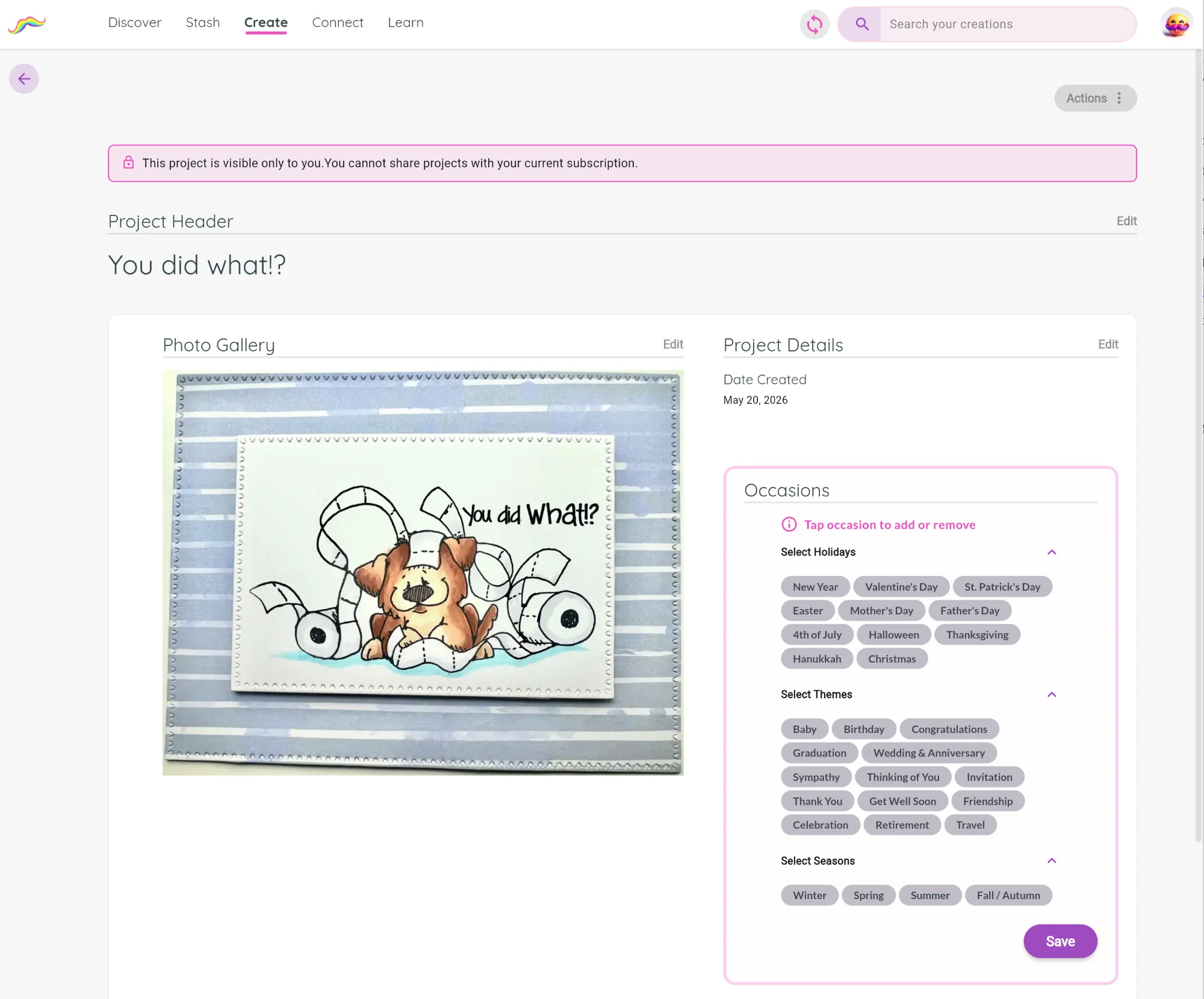
For example, if you want your Birthday card to appear when someone searches for Birthday inspiration, you need to add the "Birthday" occasion to your project. And if someone is looking for examples of hot foiling techniques, your project will only appear if you add "Hot Foiling" as a technique that you used.
The more information you include, the more valuable your project becomes as inspiration for future crafters.
The most important step: Products Used
This is the magic of MustStash.
When you add the products you used, your project becomes permanently connected to those products.
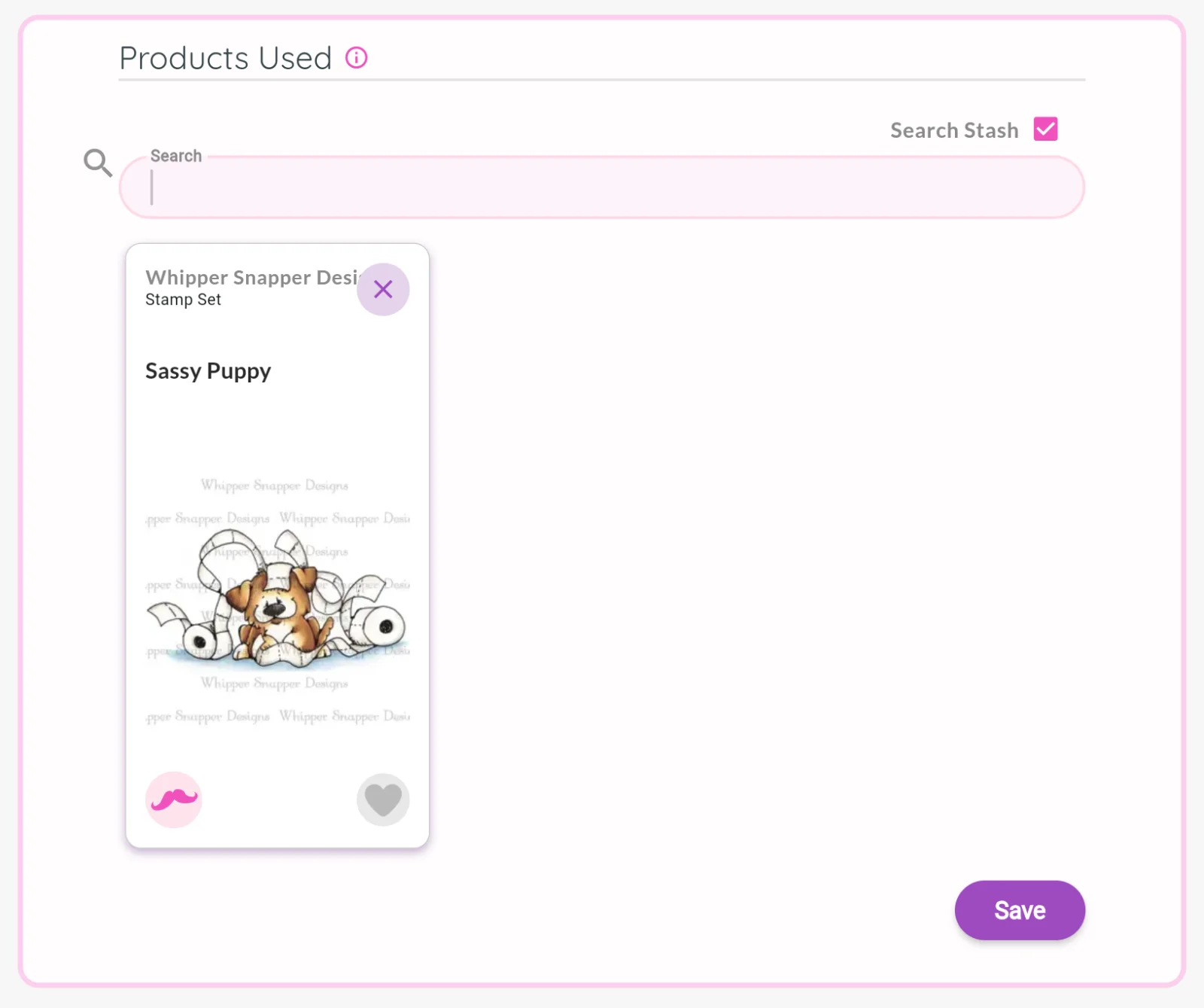
This means:
- the project appears on those product pages
- other crafters can discover it later
- your project becomes part of a curated inspiration gallery
For example:
Someone owns a stamp set and asks:
"What can I make with this?"
Instead of searching Pinterest, Facebook groups, Instagram or YouTube videos they can simply open that product in MustStash and instantly see real projects created with it.
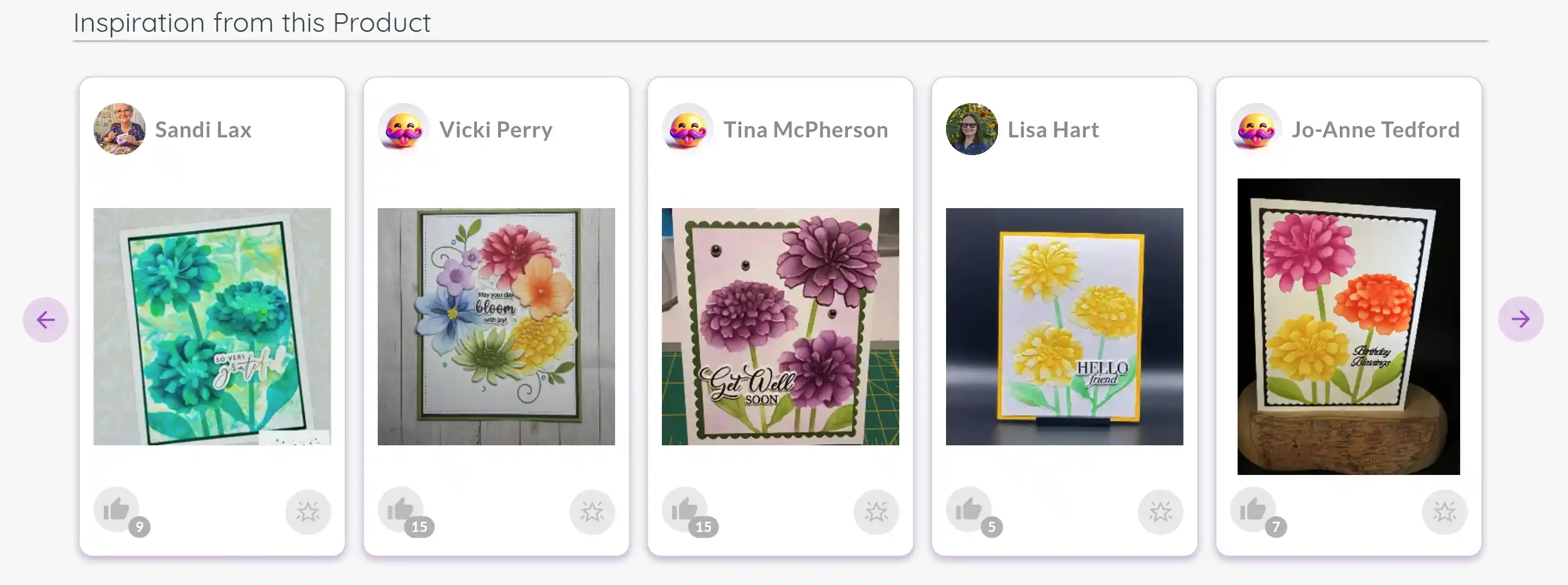
Every project added by the community helps build these galleries.
This is what transforms MustStash from a stash tracker into a true creative inspiration platform.