Data looks wrong
MustStash keeps a copy of your data on your device so the app feels fast, even with a slow connection.
Occasionally, especially if you use MustStash on more than one device, a recent change might not appear right away. For example, something you changed on your computer might not show up right away on your phone, or a number in your stash may look different from one device to another.
This usually is easy to fix.
Try refreshing or reloading
How you reload depends on what you see on your screen.
If you are using MustStash in a web browser
First, try refreshing the browser page.
On Windows, press F5.
On Mac, press ⌘ R.
If you see the Reload Data button
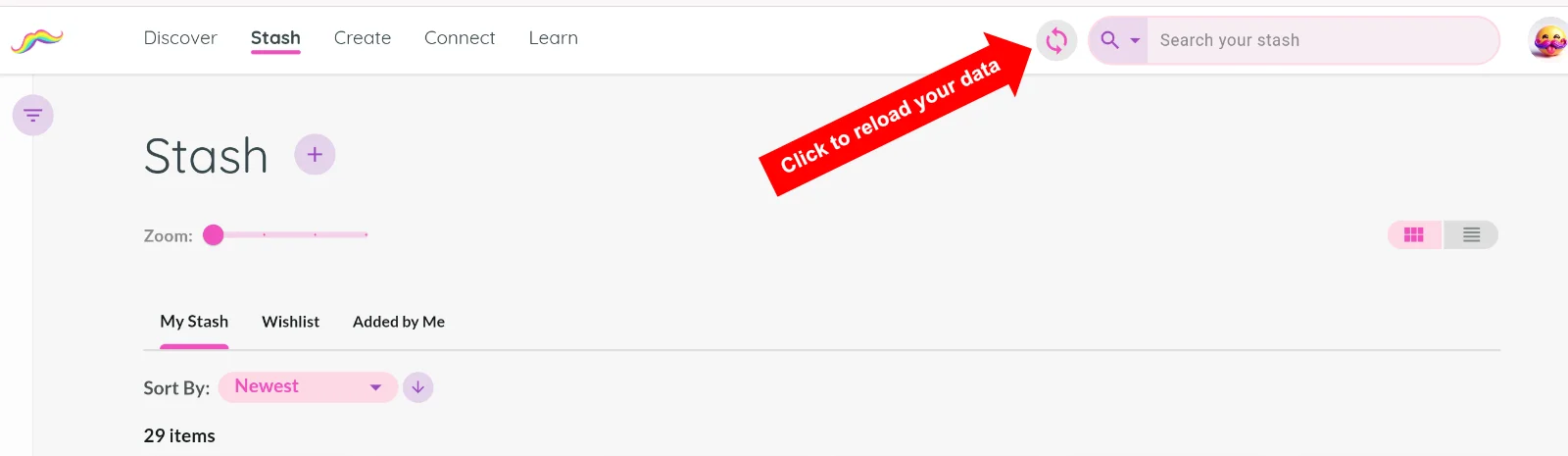
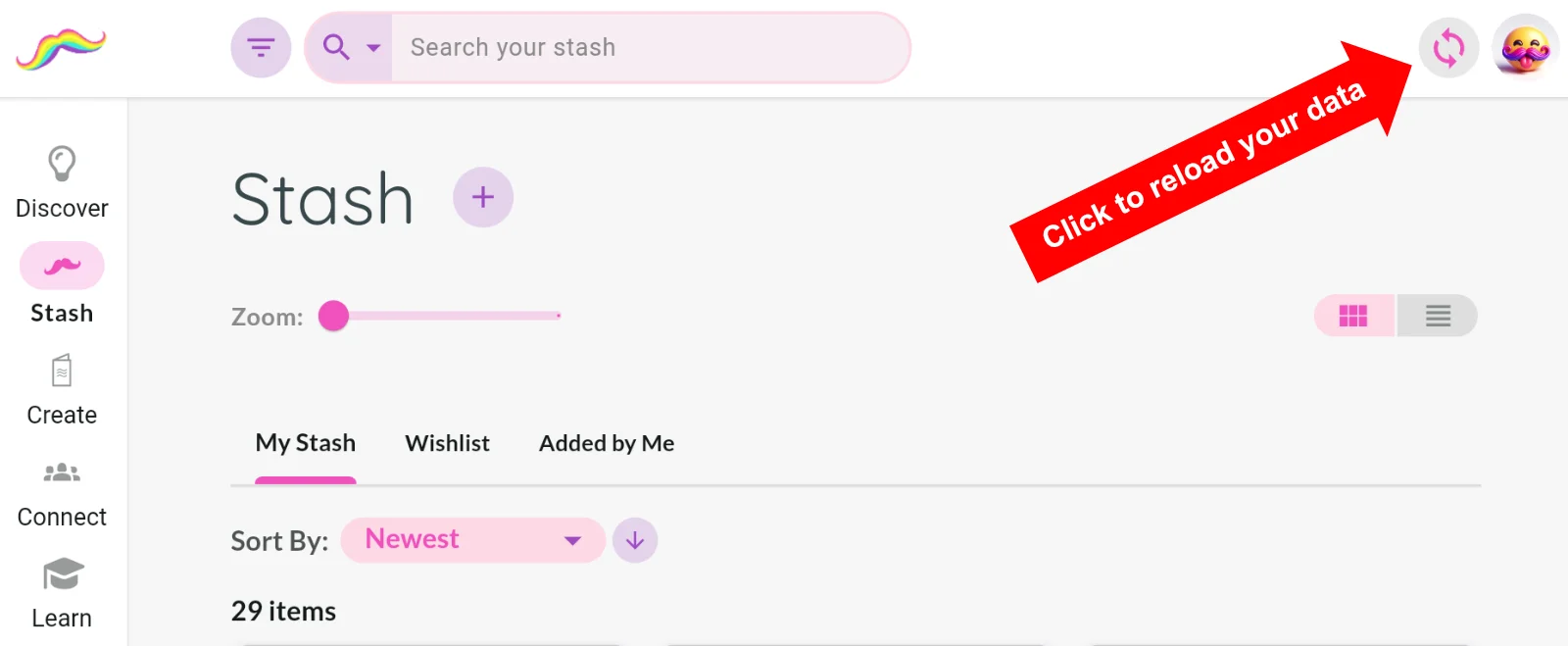
Select the Reload Data button. It looks like two arrows in a circle.
Depending on your screen size, this button may appear near the search bar or near the top-right corner of the screen.
If you do not see the Reload Data button
On smaller screens, pull down on the screen to reload your data.
If it still looks wrong
Try logging out and logging back in. This clears the local copy of your data and downloads a fresh version when you sign back in.
If that still does not work, please contact support.