Your MustStash Portfolio
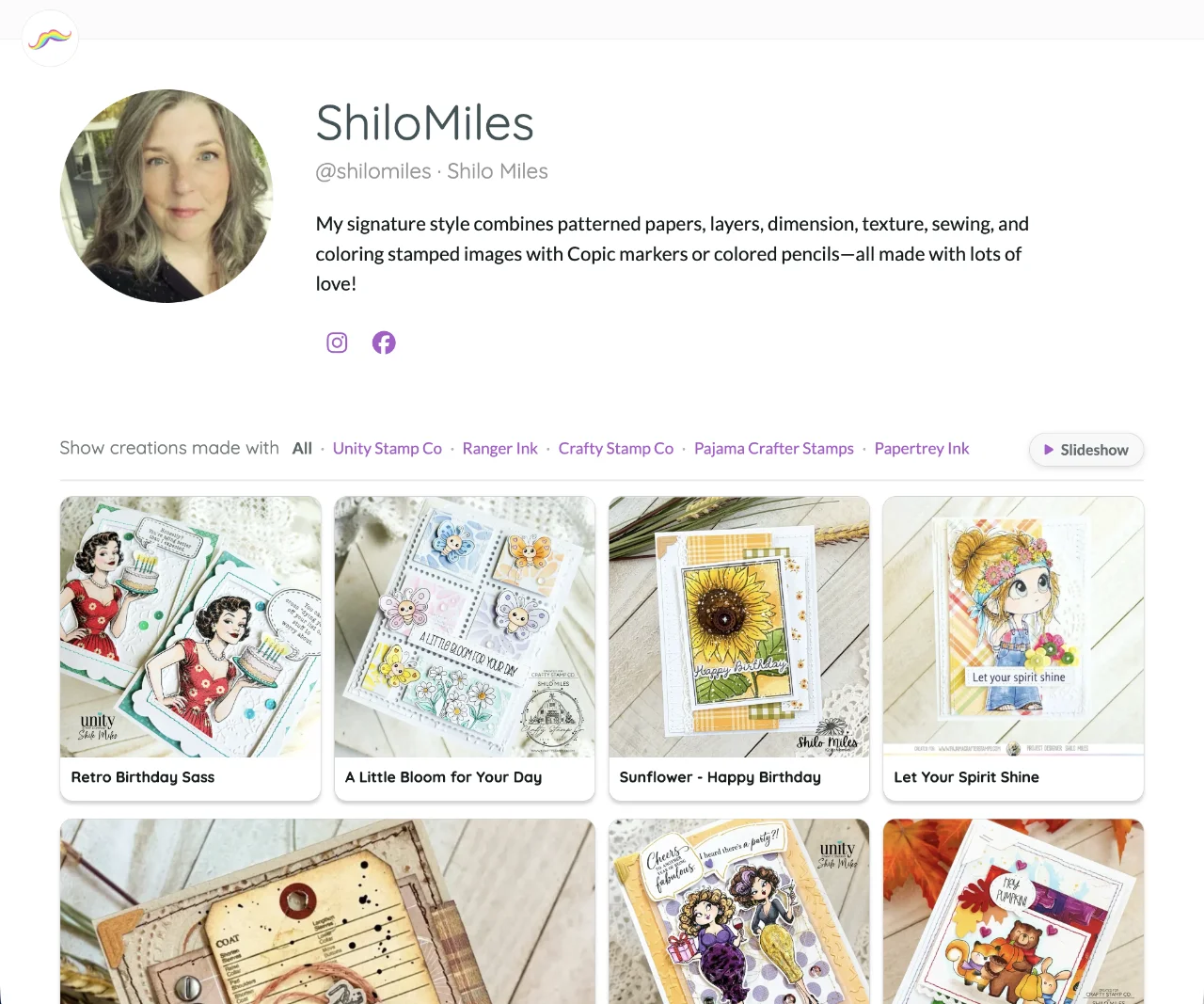
When you publish your first Public Recipe, MustStash also creates a page on the internet that collects those recipes in one place, like a gallery of your work.
Other people can open that page in their browser, even if they have never used MustStash.
We call this page your MustStash portfolio.
You do not have to build a website yourself. There are no extra pages to design, no separate photos to upload, and no blog to maintain.
You keep creating in MustStash, and MustStash keeps your portfolio updated for you.
What appears on your portfolio
Your portfolio shows every creation you have currently published as a Public Recipe.
Each time you publish another Public Recipe, it is added automatically.
If you stop sharing a creation as a Public Recipe, it disappears from the gallery.
The address of your portfolio
Your portfolio has its own web address, based on the MustStash Name you chose when you published your first Public Recipe.
It looks like this:
https://muststash.io/creator/your-muststash-name
That is the line at the top of the browser that you can copy and send to someone.
You can share that one address with friends, family, fellow crafters, customers, or anyone else who would like to see your work, instead of sending a separate link for every recipe.
Anyone viewing one of your individual Public Recipes can also click your name to visit your full portfolio and see everything else you have shared.
Your MustStash Name is permanent. To see how it is chosen, visit your account profile.
How to open your portfolio
From Create, open the My Creations tab.
Then choose Actions → View Portfolio.
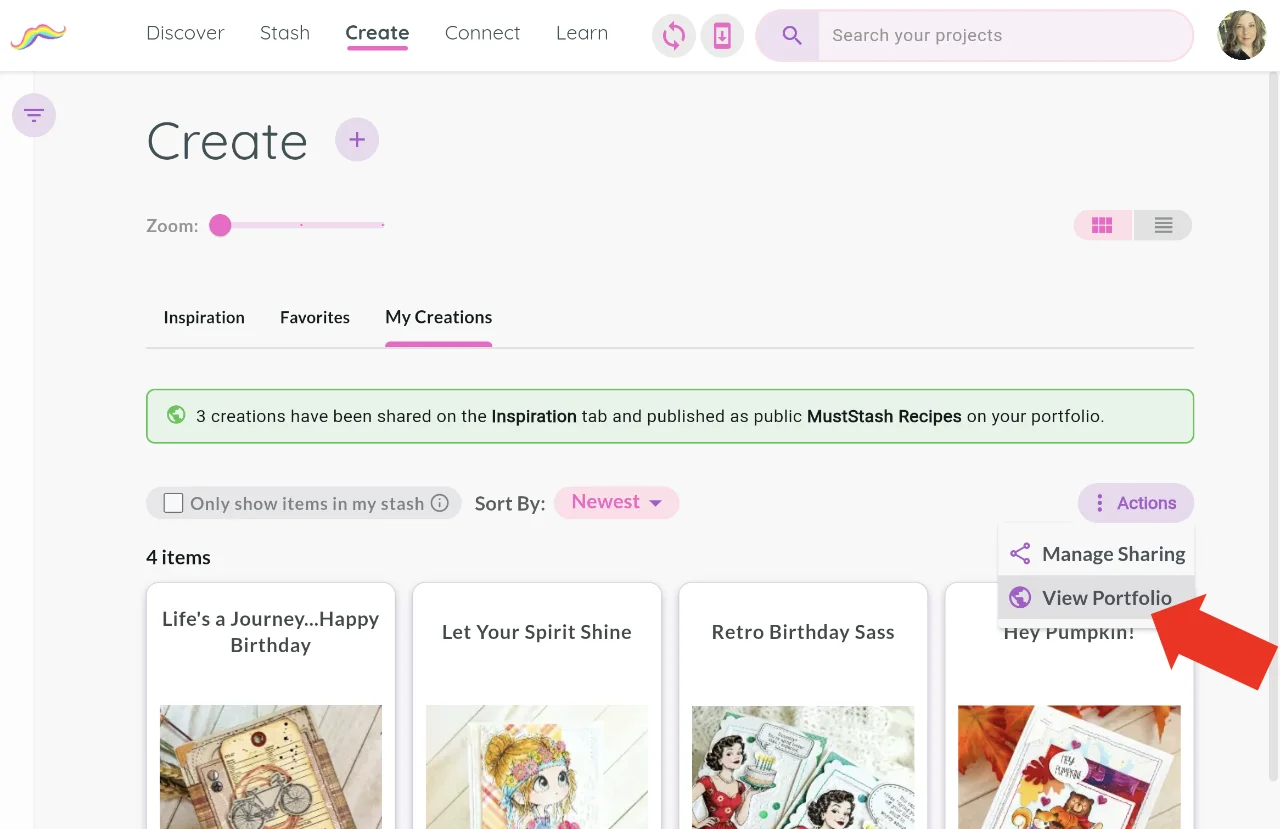
View Portfolio appears only while you currently have at least one Public Recipe.
A little about you
Your portfolio can also include your profile photo, bio, and links to your social media accounts.
MustStash uses the profile information you already manage in My Account, so you do not have to enter it separately for your portfolio.
You can also choose whether your real name appears. You made that choice when you published your first Public Recipe, and you can change it later in My Account.
Learn how to update your profile.
If you take recipes down
You can stop sharing a Public Recipe at any time.
If you have no Public Recipes left:
- other people cannot visit your portfolio page
- View Portfolio is hidden in MustStash until you publish another recipe
Your MustStash Name remains yours. When you publish another recipe, the same portfolio address works again.
To publish one creation, see Publish and share a recipe.
To publish several at once, see Share multiple creations at once.